We remain fully operational. Our teams are working around the clock to ensure your deliveries continue safely.

DOWNLOAD THE APP


Customer Services
Copyright © 2025 Desertcart Holdings Limited
DOWNLOAD THE APP
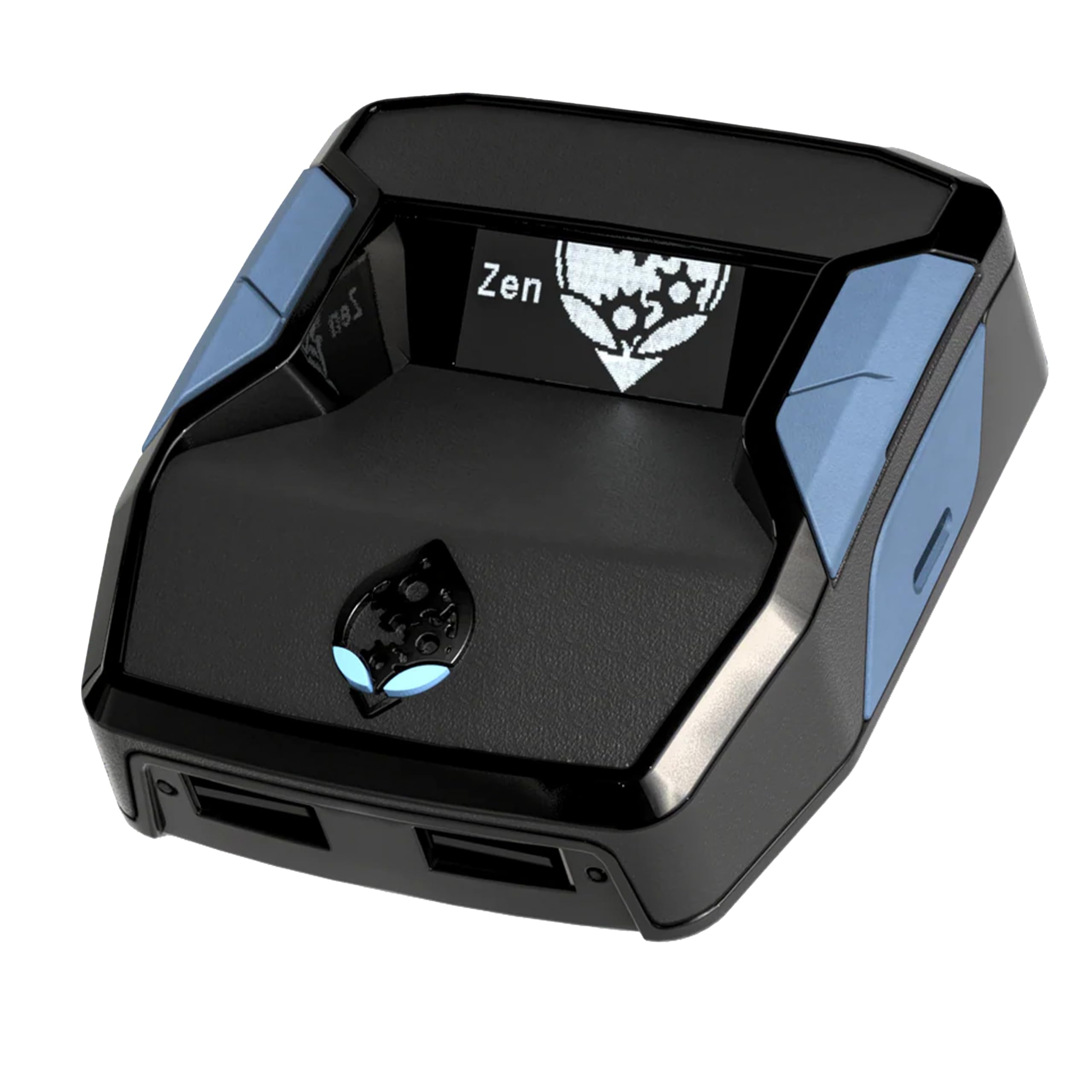
🎯 Dominate every platform with one device — the ultimate power-up for serious gamers!
The Collective Minds Cronus Zen is a versatile controller adapter that enables cross-platform compatibility for PS4, PS5, Xbox, Switch, and PC. It supports almost any controller, offers thousands of free mod scripts and macros, and allows mouse & keyboard use on consoles for enhanced precision. Additional features include crossover headset audio, racing wheel compatibility with force feedback, and easy plug-and-play setup with regular firmware updates. Designed for gamers seeking competitive advantage and ultimate customization, Cronus Zen transforms your gaming experience across all major platforms.


| ASIN | B088QTFM46 |
| Batteries | 1 AAA batteries required. |
| Best Sellers Rank | 180 in PC & Video Games ( See Top 100 in PC & Video Games ) 1 in PlayStation 4 Accessory Kits |
| Country of origin | China |
| Customer reviews | 3.8 3.8 out of 5 stars (11,934) |
| Is discontinued by manufacturer | No |
| Item model number | CM00053 |
| Language | English |
| Product Dimensions | 13.6 x 17 x 4 cm; 99.22 g |
| Rated | Not PEGI rated |
| Release date | 12 Nov. 2020 |
J**H
Must have to use
10/10 product but just so you know you will need a pc or laptop that has (windows) otherwise it won't open the zen studio (PS5) After you've got your script do your regular bypass but after loading a game and your controller doesn't work properly with script active just press the button on the back of the zim don't hold only press and soon as you have pressed it make sure you hold ur right arrow key Intill it has stopped spamming then you'll be able to use your controller again
M**K
1 Month setup and usage review.
Purchase was made late November. Item was received quickly through Prime membership. Item is presented in a nice box, that is strong and durable, not you usual flimsy type. Inside you get the actual Cronus Zen, 3 usb cables. (1) short cable for flashing firmware and then connection to device your going to be using it on. Connects to back of Zen (2) Programming cable that is used to connect to a computer to load the actual scripts to the unit. Connects to right side of Zen. (3) long micro usb cable to use in wire mode on controller, or for duping a controller when using another. Connects to left side of Zen. Or front left depending on what configuration your running. Front ports are for mouse&keyboard or wire controller. Flashing firmware is easy, load firmware update program from website and connect to pc via short cable attached to back of Zen and press small button on bottom of Zen to put it in bootloader status and flash. Programming is straight forward, plug into right side of Zen and connect to pc and run the Zen programming software found on the website. You can select a Zen made script or one of the main fan based scripts. Loading each one into the 8 available slots. Then write them to the unit. Switch between each profile by pressing the right blue button. Changing the scripts to suit your needs on the fly is straight forward press left trigger and select, this opens the script up and then you can scroll through what's editable. You need to check each scripts docentaion as each is different. I run this on an Xbox one X, I have used this with a standard wireless joypad and have also used it on a wired joypad. Both work with no issues. I borrowed a series 2 elite controller and have successfully paired and used this. Note** I was unable to get the series 2 Elite controller to work in the Xbox Elite controller app wireless I had to put the usb in the left port of the zen and connect it to joypad. This only needs to be done when you want to map buttons. Once mapped and uploaded, I unplugged the joypad and used it wireless and the joypad worked with the Settings I had programmed it with. As my joypads are wireless I have a Xbox wireless adapter plugged into the front left. I also use a wireless Astro headset so don't use the 3.5mm port in joypad. So, Am I happy with the unit YES. It does need a pc to program it but once done it's flawless, the scripts are free, so don't ever BUY any the ones that are fan based are free and work really well. Installation overall was easy little head scratching at one point but power cycling Xbox to restart fixed the issue. Would I recommend this YES already have and two friends have purchased. It is worth the money YES, for the fact you can use mouse and keyboard and that it gives you some nice perks depending on the scripts. I originally purchased it for mouse and keyboard, being a PC gamer, but been out of the loop for some time. So use to using a joypad I have stuck with this. Muscle memory. There is alot of YouTube video available to set the unit up on Xbox, Pc, PlayStation. Playing with a PlayStation pad on an Xbox and vice versa, or playing with either console pads on a pc. And installing scripts and modifying them on the fly. I am looking at getting a strike pack for my Xbox controller, so will update this review with my findings. Hope this helps...
A**A
Not worth the time, hassle or the money.
My honest review, I own both a gaming PC and Xbox. After spending a long time troubleshooting, and setting the product up. I can honestly say I was disappointed for a few reasons. 1. The scripts I added were very clunky. Difficult to use as you control the zen with the controller which didnt register at all until I changed the output from an xbox to a ps5 controller, and even then it wasnt responsive at all. 2. The scripts would self delete, meaning id have to reinstall them. 3. It would turn itself off mid game However, it did work okay whilst on PC. But this is because it was slightly easier to use with KB&M and when the above points occurred, more convenient to fix but still happened. Because of this, id say the juice is not worth the squeeze
V**T
Expectations
Complicated to set up on a ps5 some hassle to it but It does what it’s supposed to do gives you the scripts that can help you in game however Paid scripts are better Most likely your expectations for the product won’t match the reality it’s not game changing product at all Slightly enhances your overall game
C**F
Helps with aim
⭐️⭐️⭐️⭐️⭐️ Incredible Device – Makes Gaming Smoother and More Precise! I bought the Cronus Zen to use with my Xbox Series X, and I’m seriously impressed. Setup was straightforward, and once connected it worked perfectly right out of the box. The level of customisation is amazing — it lets you fine-tune your controller settings, adjust sensitivity, and create profiles that really improve accuracy and control. I mainly use it for a bit of aim assistance and smoother movement, and it’s made a noticeable difference in competitive games. The response time is instant with no lag, and everything feels natural and consistent. It’s also great that it supports multiple consoles, so I can use it with my other systems too without buying extra gear. The build quality is solid, compact, and looks professional on the setup. Firmware updates and community mods are easy to find and install, which keeps it fresh and flexible. Overall, it’s a brilliant bit of kit for anyone who wants to fine-tune their gaming experience or use one controller across different platforms. Well-built, reliable, and genuinely enhances gameplay – highly recommend!
F**N
Den va hur bra som helst
O**D
ممتاز جدا
K**.
Good product. Works great.
A**O
Excelente llego super bien y funciona de maravilla
F**I
Ottimo prodotto per giocare con la ps5,funziona perfettamente Consegnato con un giorno di anticipo
Trustpilot
1 month ago
3 weeks ago